Build the album
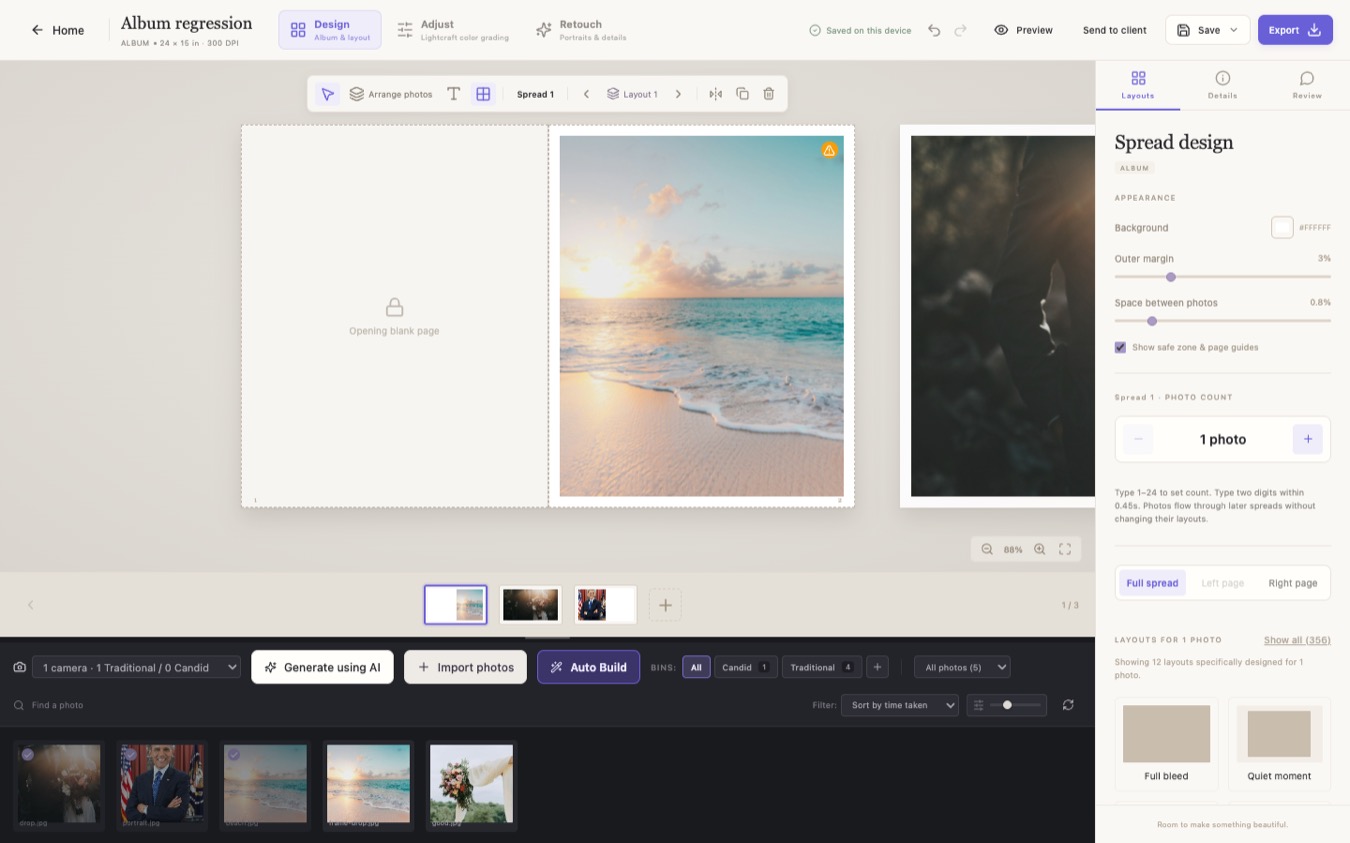
Organize photos into bins, use Auto Build to arrange a first pass, then refine each spread with templates, crop controls and safe-zone guides.
DESKTOP SOFTWARE FOR WEDDING PHOTOGRAPHERS
Turn a full wedding gallery into a finished album. Arrange spreads, grade and retouch photographs, and prepare the files for print in one desktop workspace.
Explore Studio and Pro

01 / THE VOWFOLD WORKFLOW
Organize photos into bins, use Auto Build to arrange a first pass, then refine each spread with templates, crop controls and safe-zone guides.
Grade with curves, color controls and LUTs. Detect faces for targeted portrait retouching while preserving the original photographs.
Share a review file for feedback, then export the album in formats including JPEG, TIFF, PDF and layered raster PSD.
02 / PLANS
Prices in Indian rupees, billed yearly. Pay with UPI, card or net banking through Razorpay.
THE CORE WORKFLOW
₹4,999 / year
For photographers who want to design and finish albums in one place.
INCLUDES STORY BUILDER
₹7,999 / year
For studios that want to plan the wedding story chapter by chapter before laying it out.
03 / GET VOWFOLD
Already signed in? The plan goes on your account and the download is ready right after payment. Download page
It is on .
We have emailed you a link to set your password. Open it, then download Vowfold and sign in with that email.
Download Vowfold and sign in with this email.
Go to download04 / FAQ
Studio includes the album, grading, retouch and export tools. Pro also includes Story Builder when enabled. Story Builder lets you assign and order photographs within chapters, review must-have shots and preview the story before generating spreads.
Vowfold keeps the project library on your device. You can save a portable Vowfold project backup to move or archive your work. Sign-in and subscription verification use an internet connection.
Vowfold exports JPEG, PNG, TIFF, raster PDF and layered raster PSD. JPEG, PNG, TIFF and PSD exports include an sRGB profile.